Tips & Trick - Replace the battery - RM5752 / RM5762 Series
To replace the battery, press down on the battery compartment cover and pull it out, then follow the steps below to install the battery.
How to set up my baby monitor? - RM5752 / RM5762 Series
Fear not, set up your baby monitor is very doable. Here is a simple process.
What should I do to ensure smooth setup?
Install and replace the parent unit battery
Connect and power on the baby monitor
Charge the battery before use
Set up Wi-Fi connection and add camera
Test your baby monitor
Position the baby monitor
For optimal camera view and image brightness, what should I do?
Make sure the camera housing does not block the camera view when tilting down your camera.
Press ▲, ▼, ◀and ▶ to adjust the camera if you see the camera housing on parent unit display.
I want the monitor to detect my baby's motion. How should I set in my mobile device?
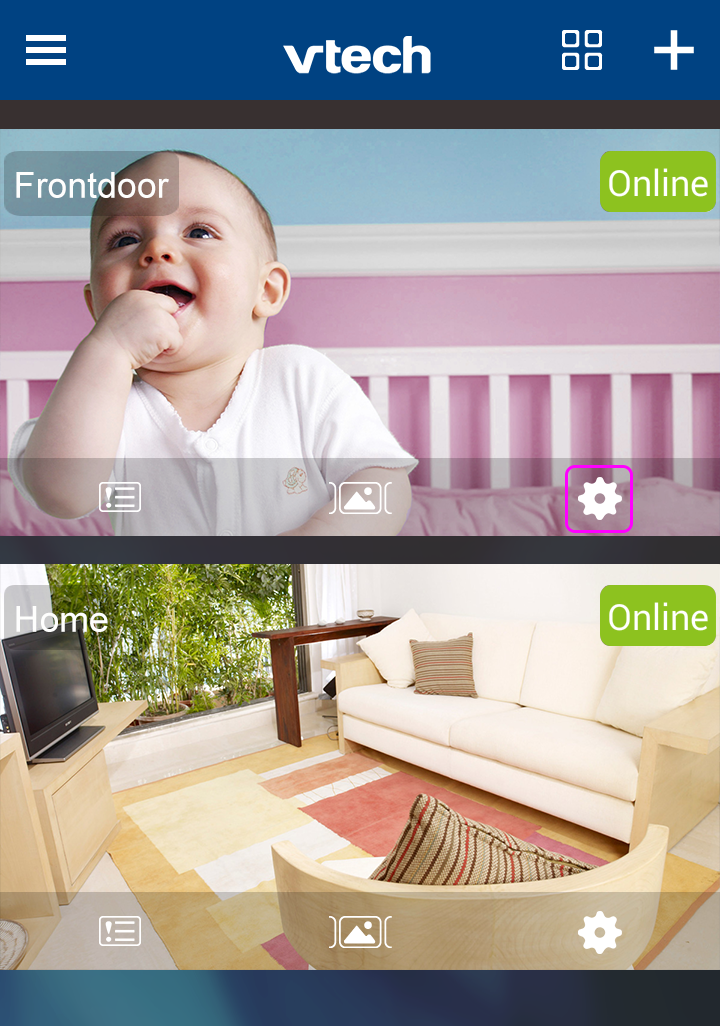
1. In the Camera List, tap the  icon of a paired camera to enter its Camera Settings menu.
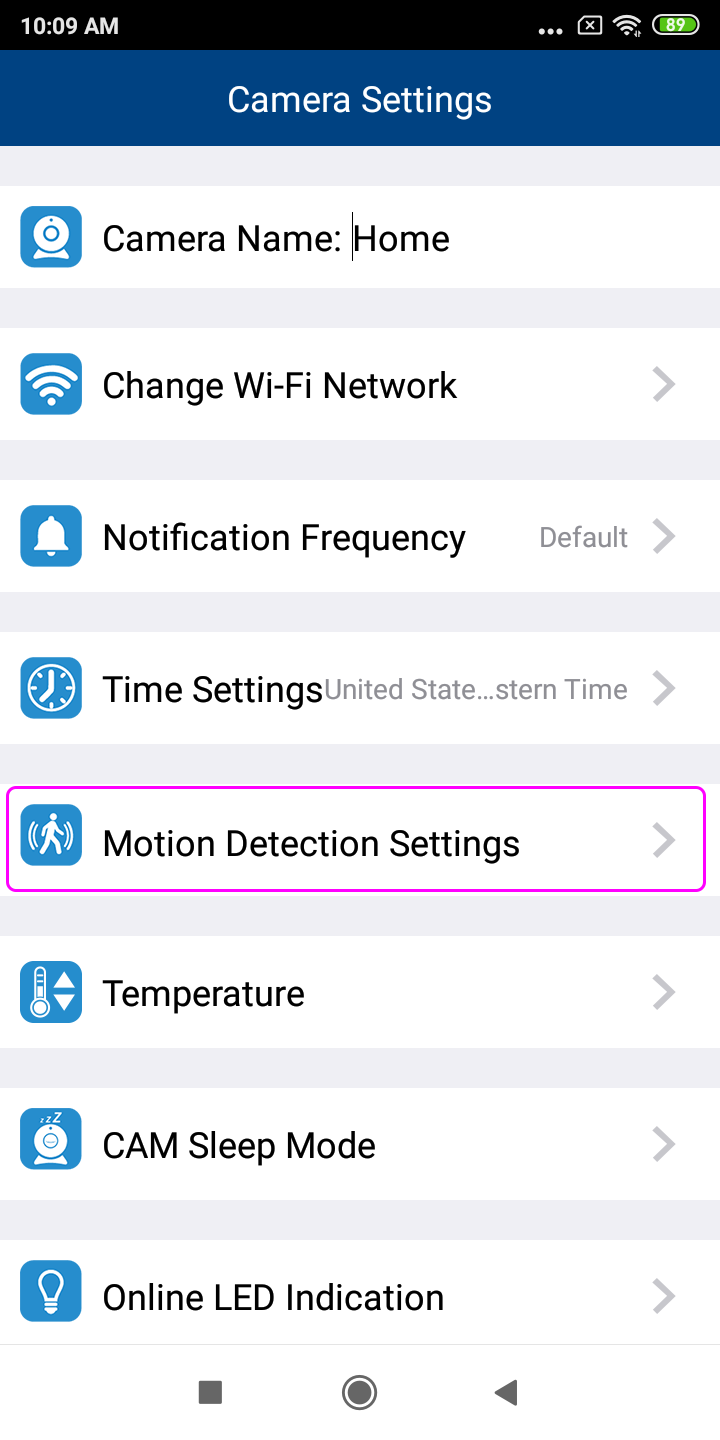
2. In Camera Settings, tap Motion Detection Settings.
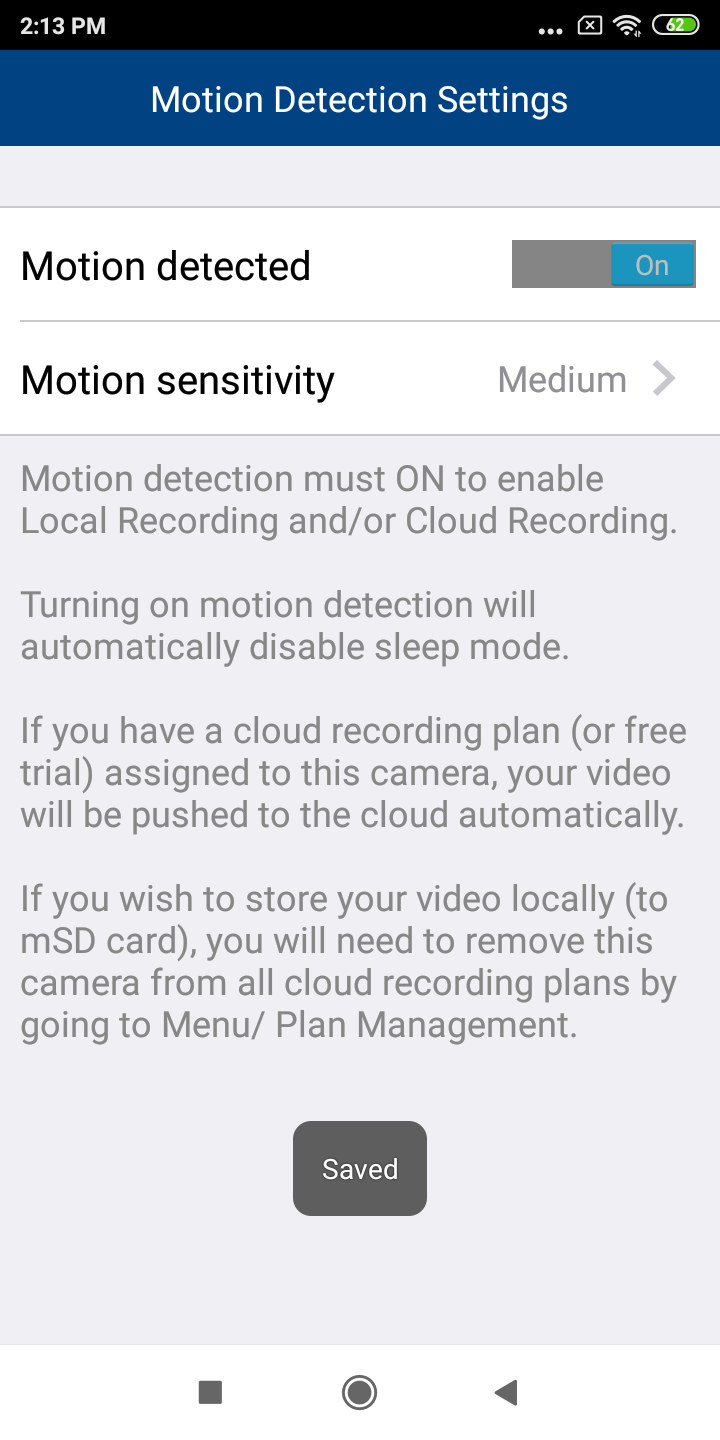
3. Switch Motion detected to ON.
Tap Motion sensitivity, and then tap to select and set the motion sensitivity level -i.e. Low, Medium or High.
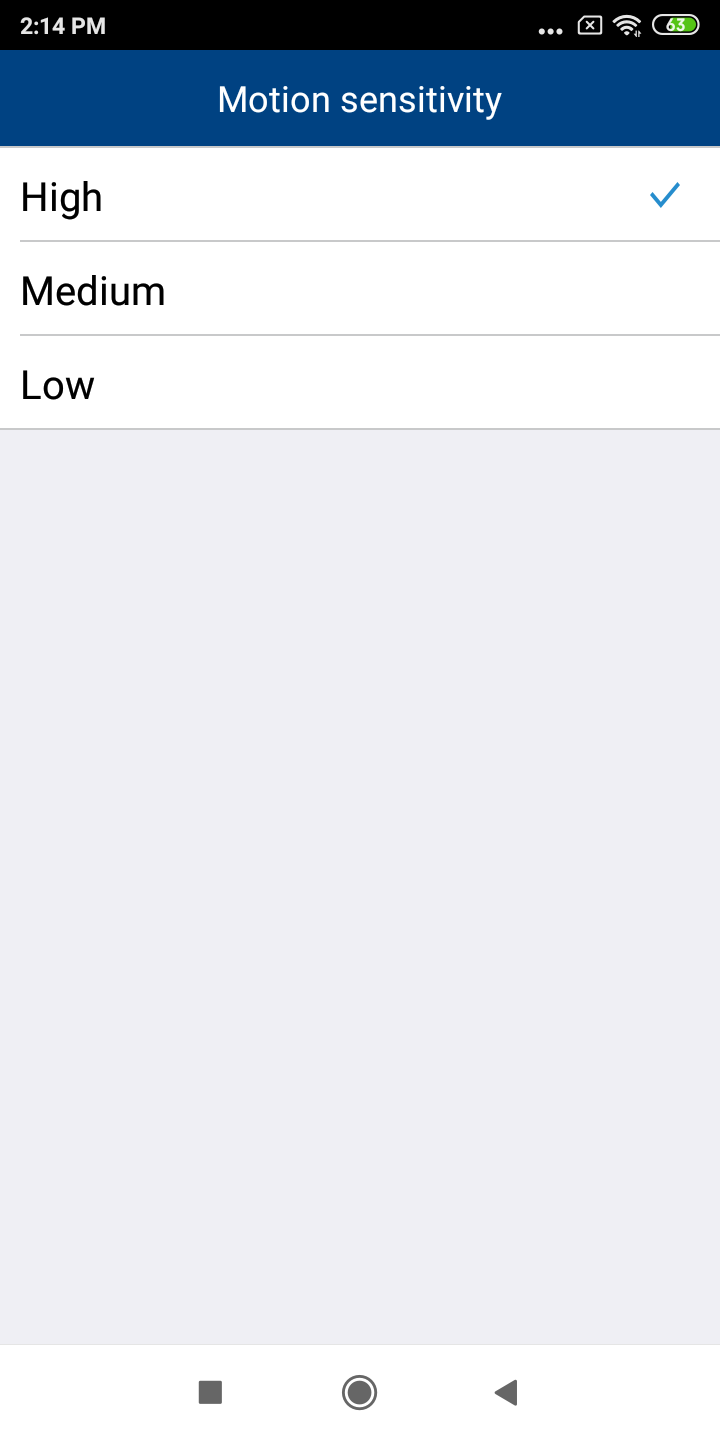
Sensitivity levels of Motion Detection
https://vtech.zendesk.com/