Tips & Trick Can I turn off the parent unit screen but keep hearing sound from the baby unit?
The parent unit’s LCD display will dim automatically to conserve energy after 10 minutes of inactivity, in which there is neither key pressed nor alert received from the baby unit. Press any buttons will turn the LCD display back on.
I cannot power off the viewer. What should I do ? - RM Series
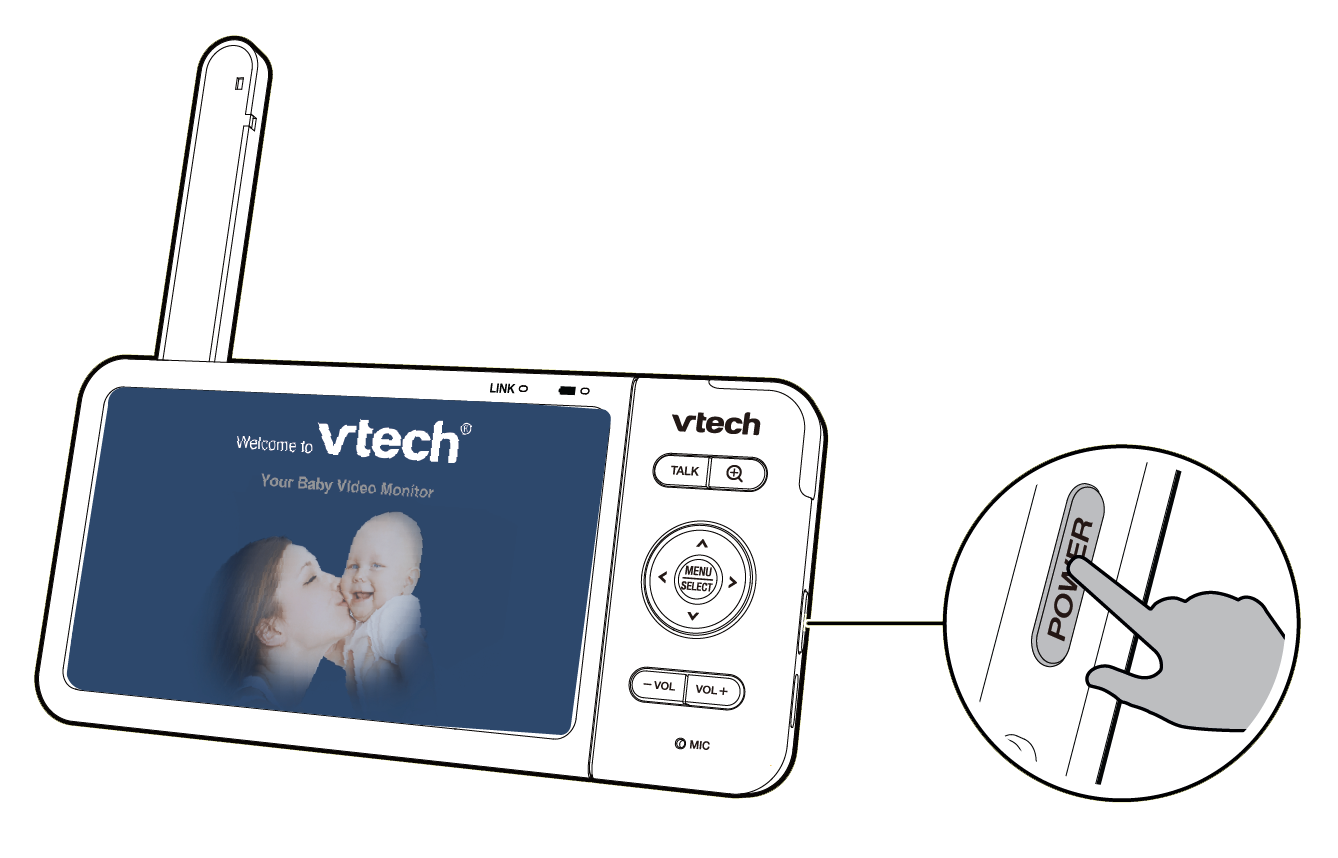
To power on the viewer, press  until the welcome screen appears.
To power off, press and hold .

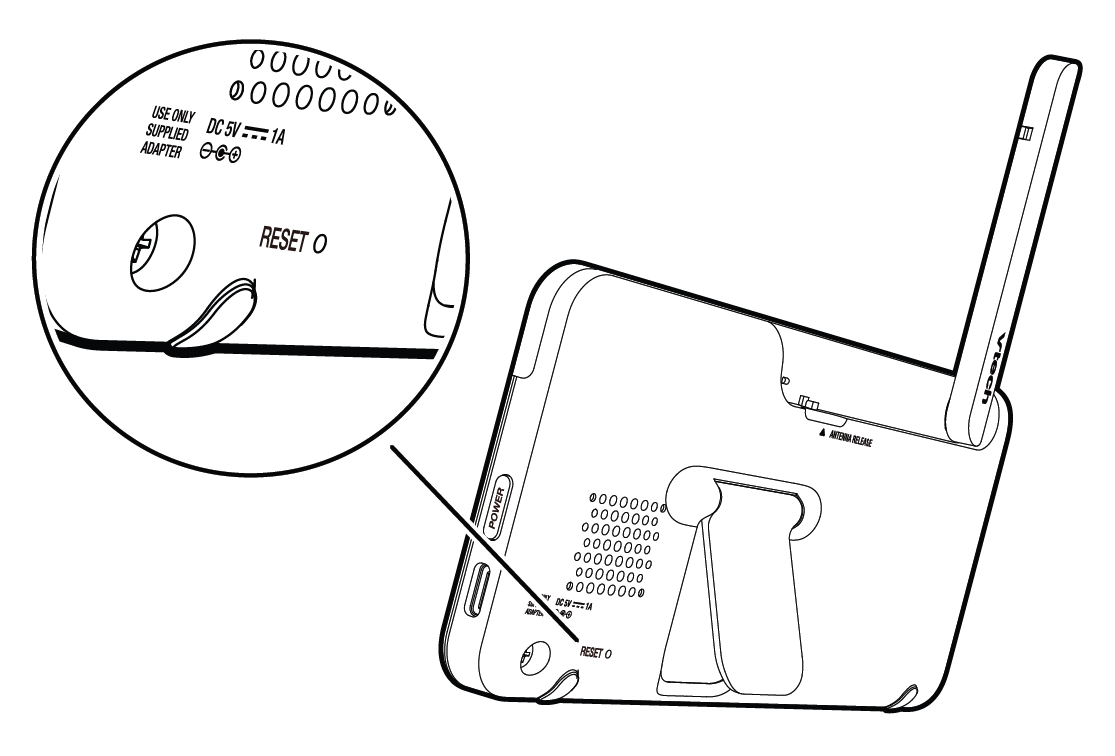
You can reset the parent unit by pressing the  key at the back of the unit.
Use a pin and insert it into the hole on the back of the parent unit, and then press the button inside.
How to allow notification sent from MyVTech Baby 1080p app - (iOS)?
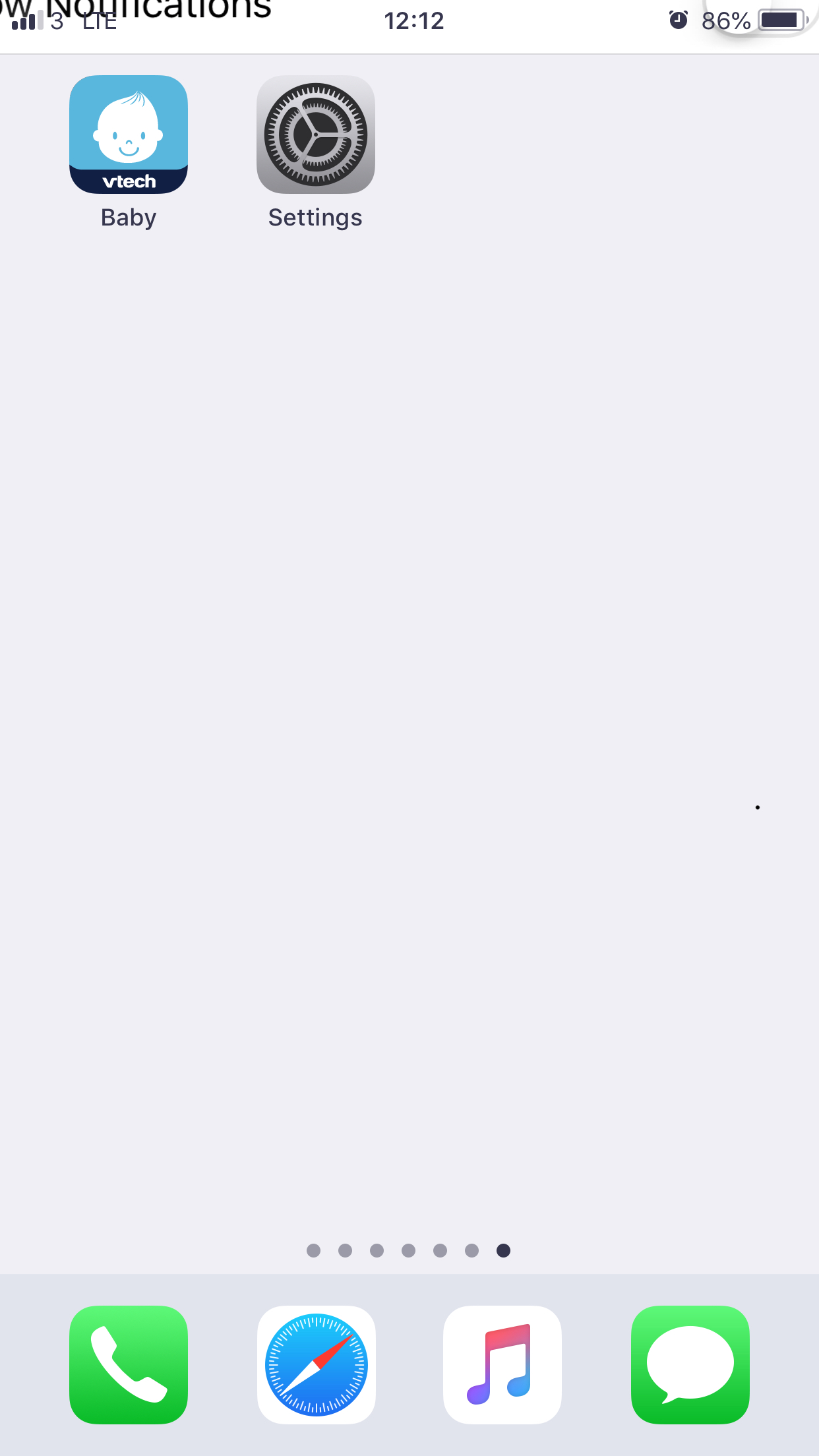
1. On your iOS device, launch the Settings app.
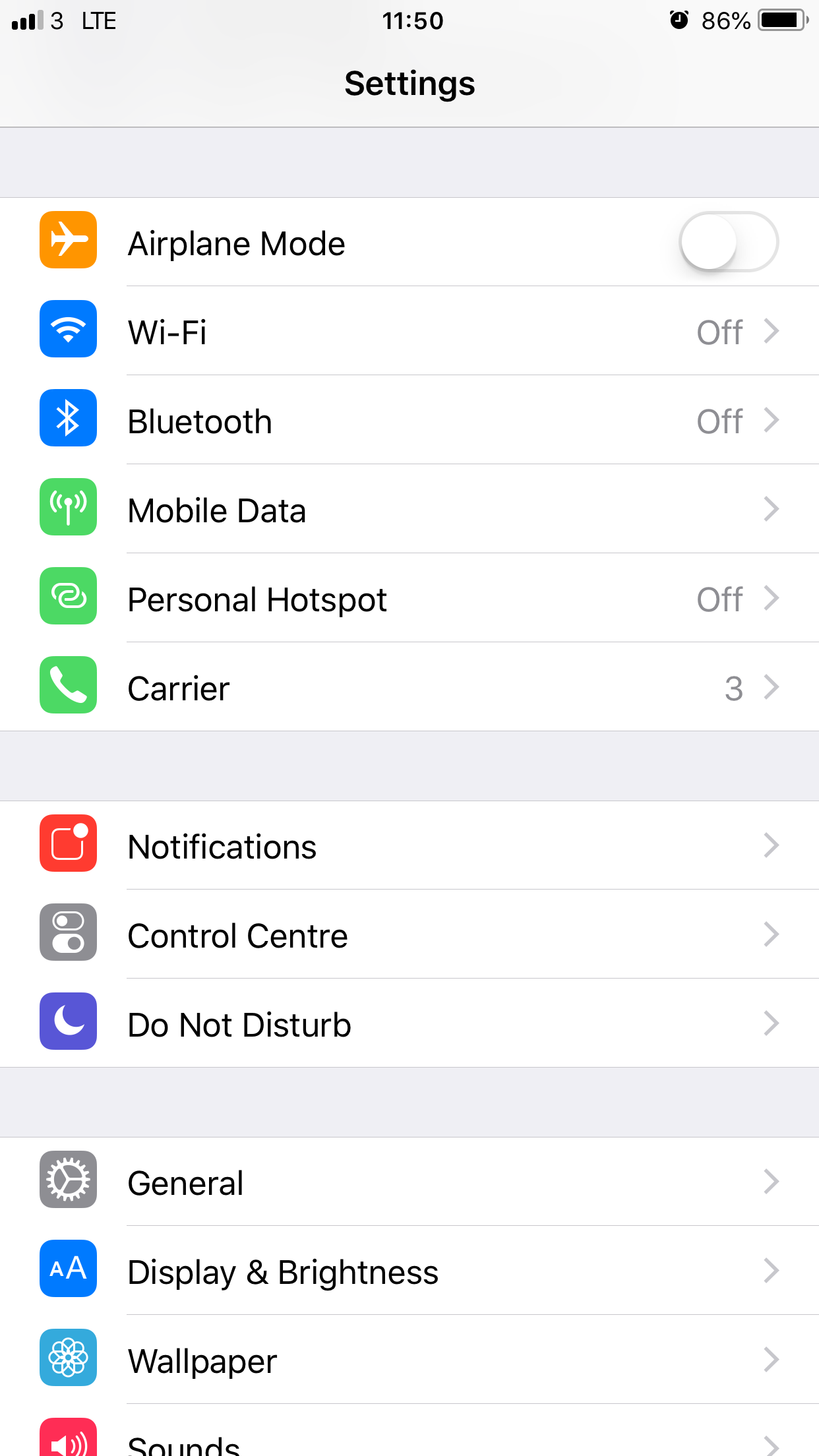
2. Scroll to and tap Notifications.
3. Scroll to and tap Baby app.
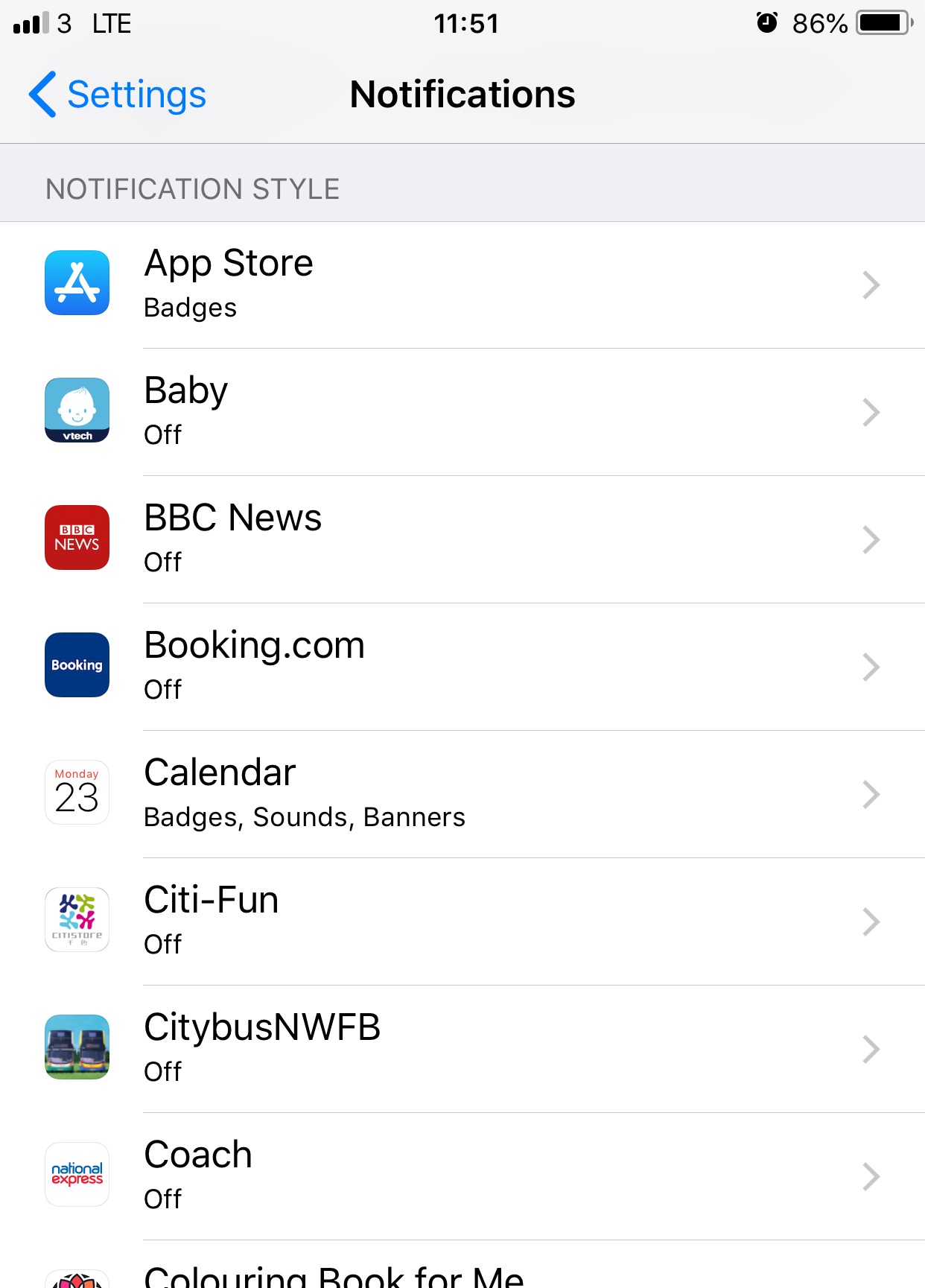
4. Switch on Allow notifications.

How to allow notification sent from MyVTech Baby 1080p app - (Android)?
1. On your Android device, launch the Settings app.
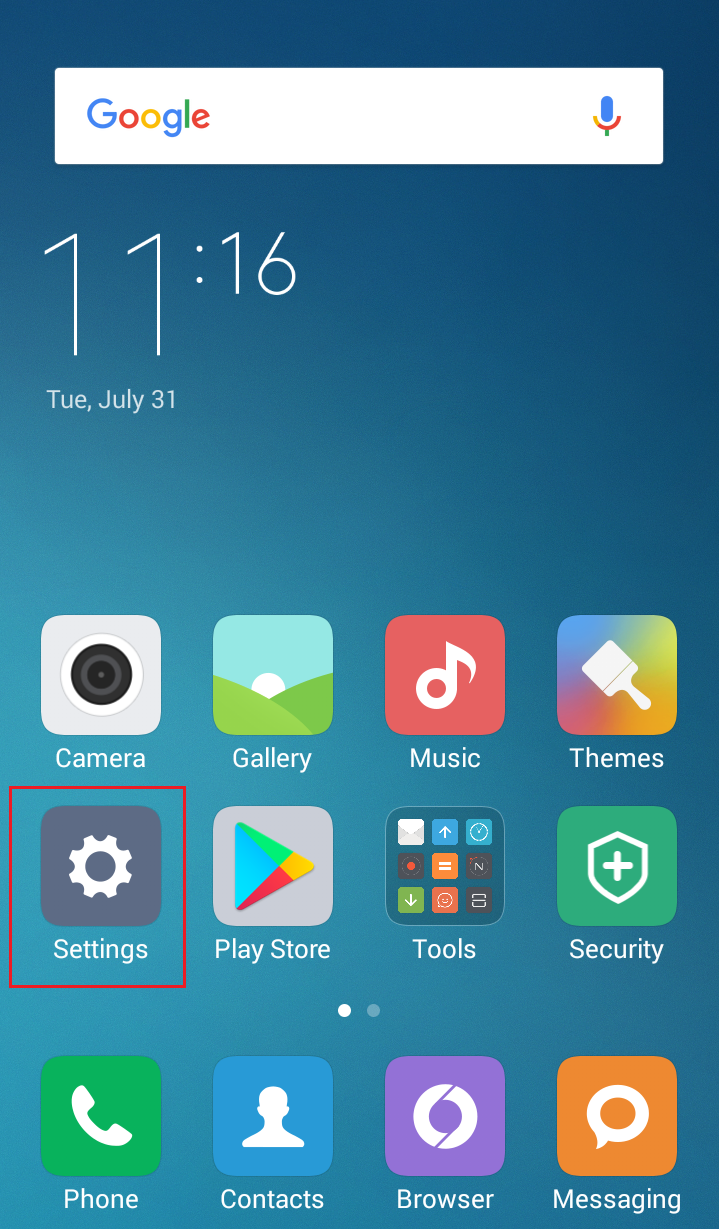
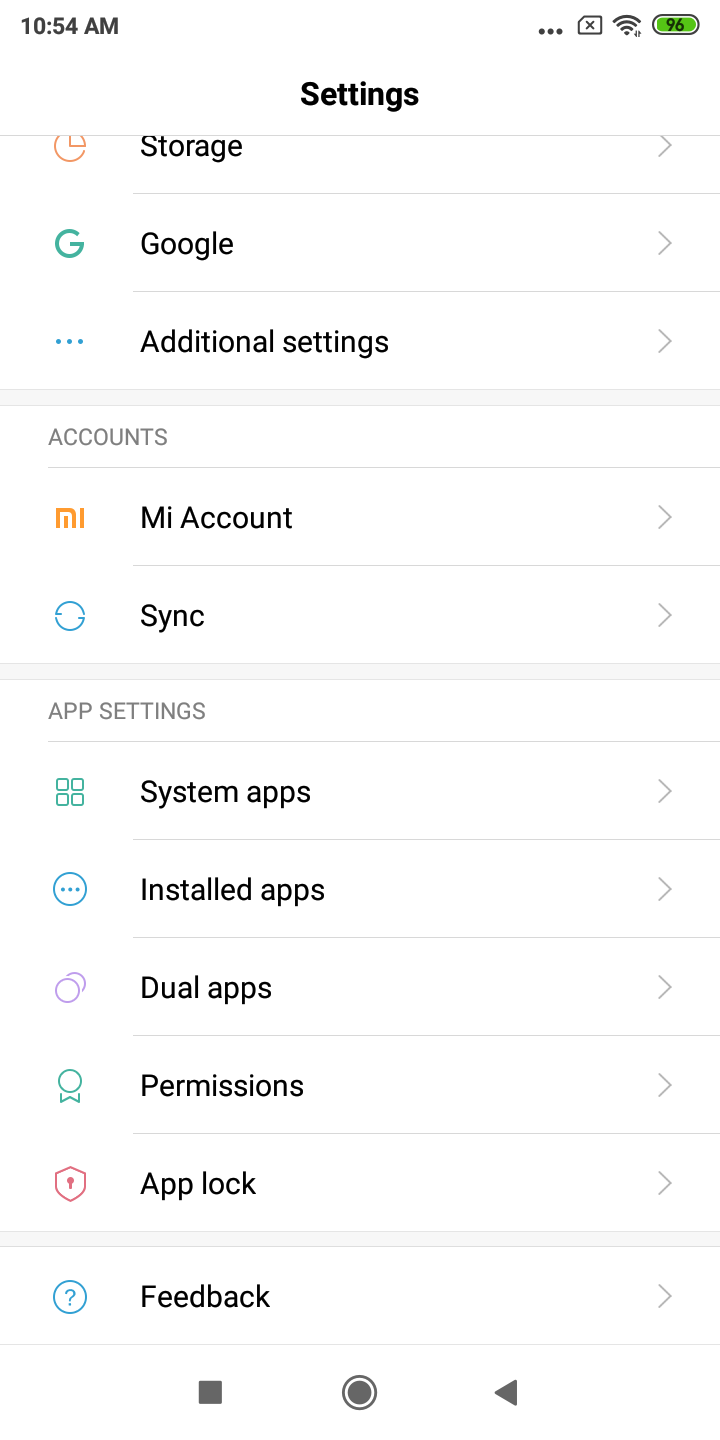
2. Scroll to and tap Installed apps.
3. Scroll to and tap Baby under All installed apps.
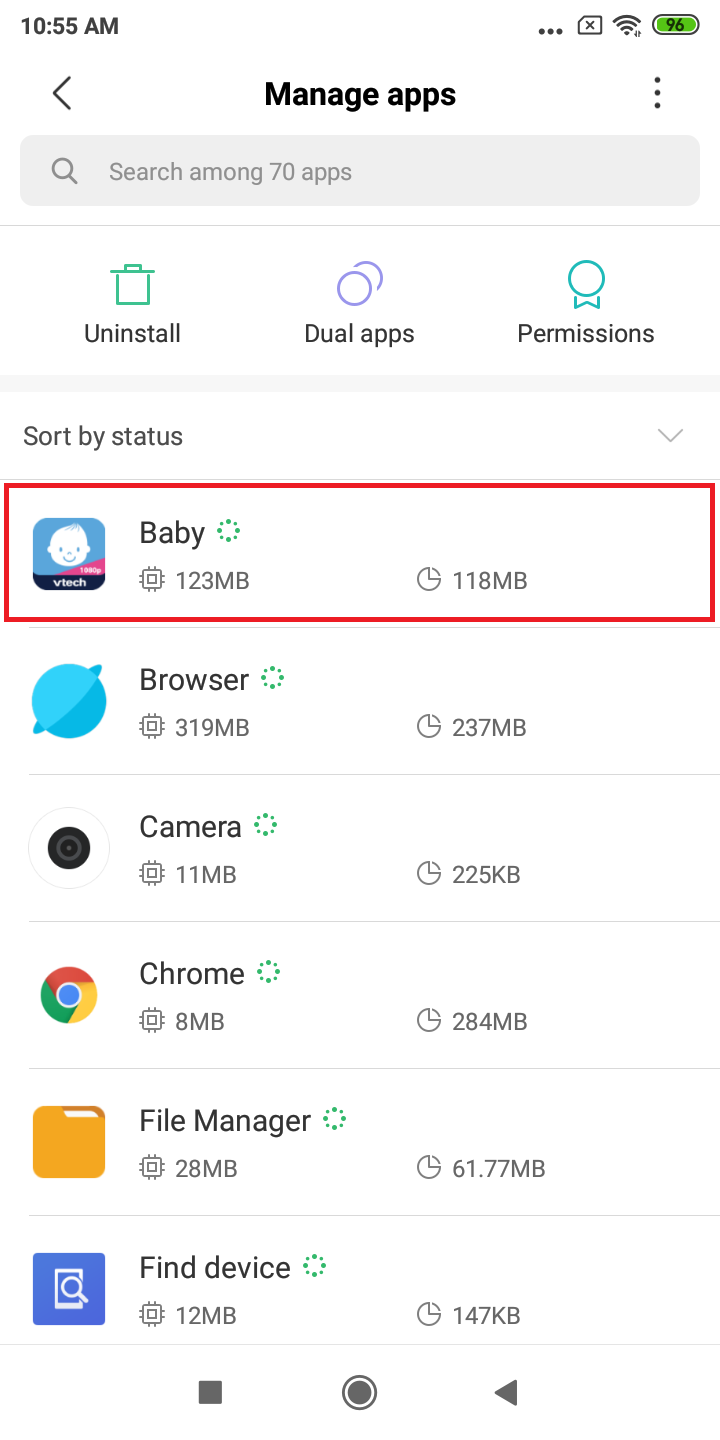
4. Tap Notifications.
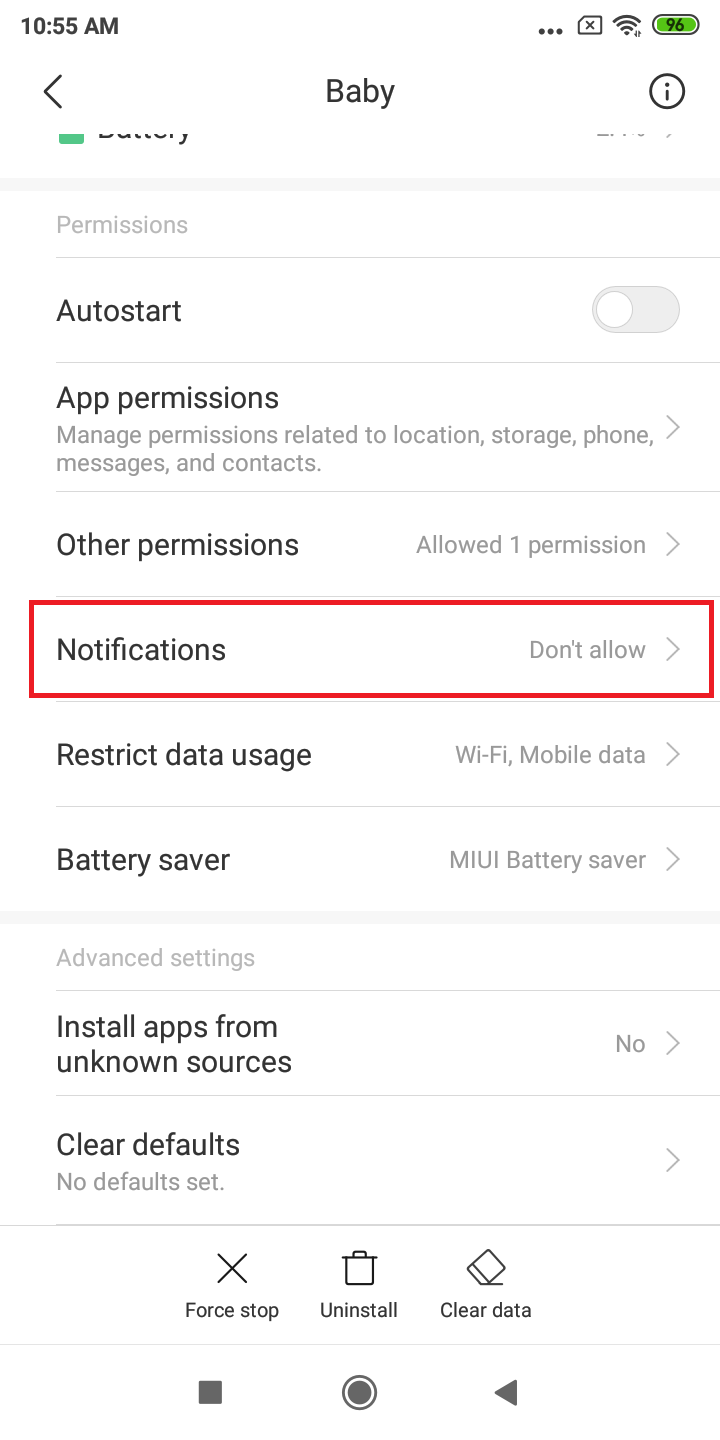
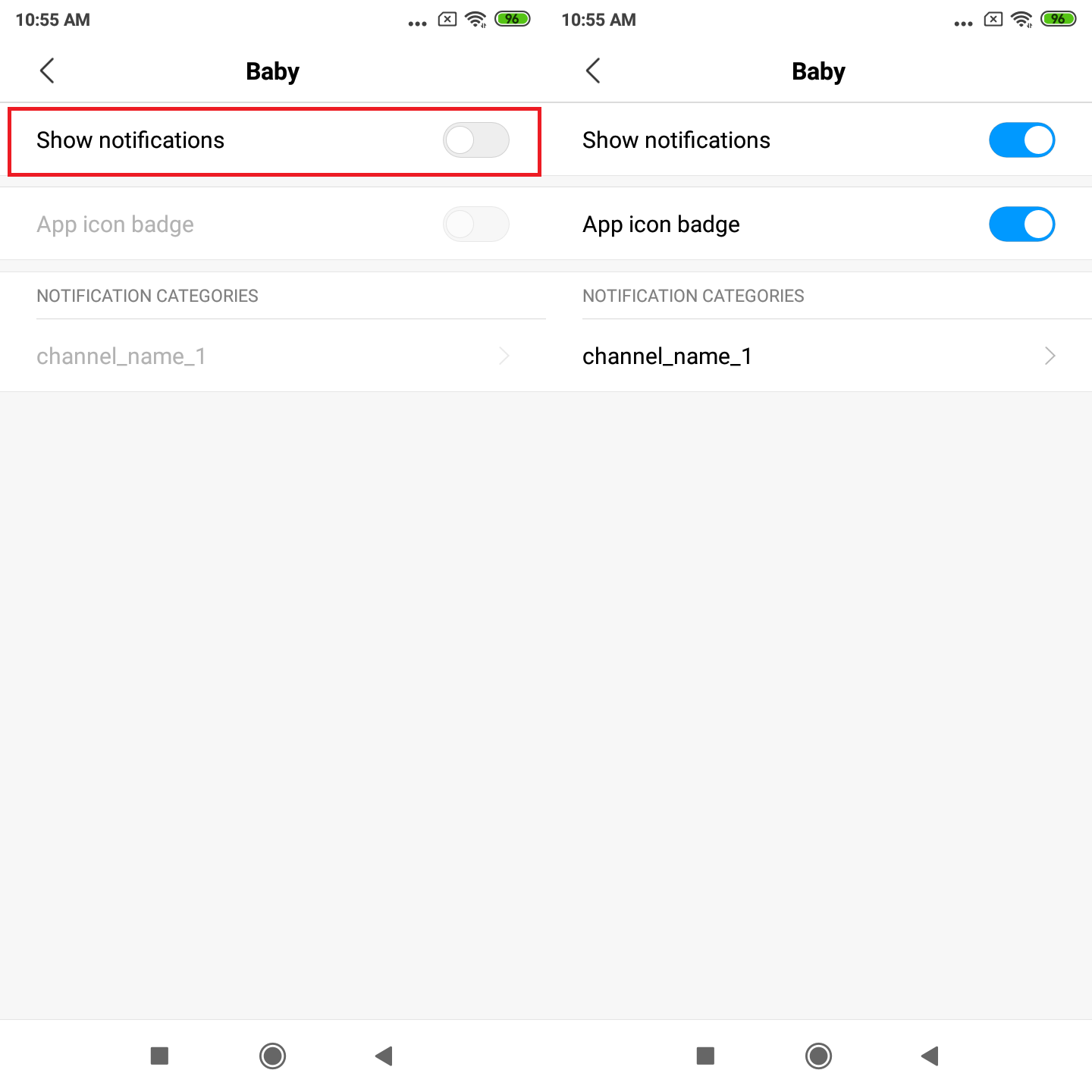
5. Switch on Show notifications.
https://vtech.zendesk.com/